


⭐ New Photoshop 2026 (v27.0) Is Finally Here with Next Gen Firefly AI – The Future of Smart Editing

Adobe ने आखिरकार Photoshop 2026 (Version 27.0) लॉन्च कर दिया है, और इस बार Photoshop पूरी तरह बदल चुका है।
नया अपडेट सिर्फ editing software नहीं, बल्कि एक Smart AI-Powered Creative Platform है जो आपकी सोच को खुद समझकर काम करता है।
चाहे आप Beginner हों या Professional Editor, Photoshop 2026 आपके workflow को 5x तक तेज कर देता है।
इसमें आने वाला Next Gen Firefly AI Model AI Editing को एक नए स्तर पर ले जाता है—जहाँ creativity, automation और realism पहले से कहीं ज्यादा powerful हो जाते हैं।
Photoshop 2026 (Version 27.0) Smart AI-Powered Creative Platform
🟦 Introduction – A New Era of AI-Powered Editing
Photoshop पहले से ही दुनिया का नंबर-1 editing software रहा है।
लेकिन 2026 update में Adobe ने इतना बड़ा परिवर्तन किया है कि यह अब सिर्फ एक tool नहीं बल्कि एक AI Assistant जैसा काम करता है।
2025 वर्ज़न में Generative Fill, Remove Tool, और Generative Expand ने editing को आसान बनाया था।
लेकिन Photoshop 2026 में इन सभी tools को Next-Gen AI के साथ re-build किया गया है ताकि output और भी realistic और natural बने।
Photoshop अब context, lighting, shadows, और creative intent को खुद समझकर perfect result generate करता है।
⭐ What’s New in Adobe Photoshop 2026 (v27.0)
🟩 1. Next Gen Firefly AI Model – Smartest Editing Engine Ever
Photoshop 2026 का सबसे बड़ा बदलाव है Next Gen Firefly AI Engine।
🔥 यह AI अब क्या कर सकता है?
आपके image का context और lighting खुद समझता है
Object edges को पहले से 10 गुना better detect करता है
Natural color & tone blending
Realistic shadows & highlights
Composition और framing के smart suggestions
आपका editing style सीखता है और उसी तरह results देता है
अब Photoshop सिर्फ tools नहीं, आपकी creativity का partner है।
🟩 2. Smart Generative Fill 2.0 – अब और ज्यादा Realistic
Generative Fill पहले ही game-changer था, लेकिन 2026 में इसे पूरी तरह smart बना दिया गया है।
⭐ Beginners के लिए नई सुविधाएँ:
Ultra-smooth simplified UI
Real-time preview
Auto color match with surrounding pixels
Higher-quality details
Sharp edges without distortion
अब आप सिर्फ text लिखकर किसी भी object, background या element को generate कर सकते हैं:
Example prompts:
“Cinematic sunset sky”
“Vintage car”
“Luxury room background”
Photoshop खुद lighting और shadows को match कर देता है।
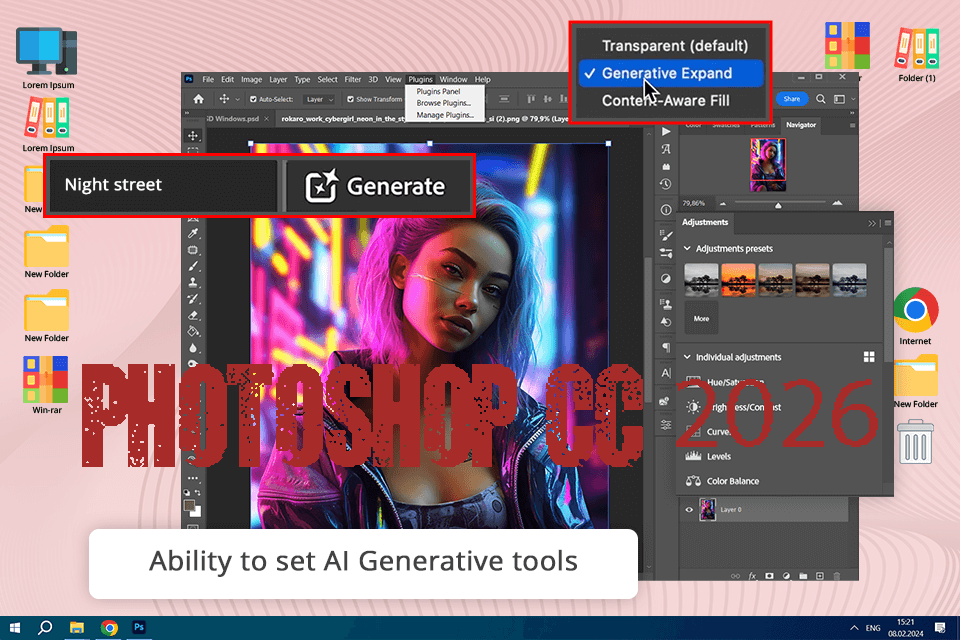
🟩 3. AI Retouch Studio – Portrait Editing का नया दौर
Photoshop 2026 में नया AI Retouch Studio है जो खासकर portrait editors और beginners के लिए बनाया गया है।
✔ One-click tools:
Skin softening
Blemish removal
Teeth whitening
Eye brightening
Auto face tone correction
Natural shadow detection
अब portrait retouching के लिए layers, masks या brushes की deep knowledge की जरूरत नहीं।
🟩 4. Smart Remove Tool 2.0 – No Perfect Selection Needed
Remove Tool को अब इतना smart बनाया गया है कि यह खुद unwanted objects पहचान लेता है।
⭐ Beginner Benefits:
अब selection खराब भी हो तो चलेगा
AI खुद background texture create करता है
Complex surfaces जैसे grass, water और clouds पर भी clean results
Even moving people, power lines, और unwanted text — सब seconds में remove!
🟩 5. AI Background Generator – Thumbnails, Ads, Product Editing के लिए Best
इस बार Photoshop ने Background Generator को भी Firefly AI से upgrade किया है।
अब आप text prompts से background बना सकते हैं:
“E-commerce white studio background”
“Luxury modern office”
“Mountain landscape”
“Dark cinematic room”
यह feature YouTube थंबनेल creators और e-commerce editors के लिए goldmine है।
🟩 6. Real-Time Generative Expand – किसी भी Photo को Perfect Crop में बदलें
Photoshop अब किसी भी image के edges में AI-generated area real-time में जोड़ सकता है।
Example:
Square → YouTube Thumbnail
Vertical → Instagram Reel Cover
Landscape → Movie Poster
AI automatically colors, shadows और textures match कर देता है।
Result इतनी smooth होती है कि पता ही नहीं चलता—image expand हुआ है।
🟩 7. Auto Lighting & Color Balance AI
Color correction अब 1-click में possible है।
✔ Features:
Auto tone adjustment
AI-powered white balance
Smart color grading presets
Side-by-side preview comparison
Beginners अब बिना color theory सीखे भी high-quality results बना सकते हैं।
🟩 8. Smart Taskbar – Fastest Workflow Ever
Adobe ने Taskbar को पूरा smart बना दिया है।
अब Photoshop खुद आपके काम के अनुसार tools दिखाता है।
Example:
Subject select किया → Generative Fill, Remove, Refine Edge सामने आ जाएंगे
Brush tool select किया → Brush settings & presets दिखेंगे
यह beginners के लिए बहुत helpful है।
🟩 9. AI Text & Vector Generator (Beta)
अब आप describe कीजिए और Photoshop उसी style का font और vector design बना देता है।
Example prompts:
“Retro bold neon typography”
“Japanese brush script”
“Clean modern minimalist font”
Fonts install करने की जरूरत नहीं!
🟩 10. Photoshop Cloud AI Integration
अब आपके सभी:
AI preferences
Editing history
Custom presets
Styles
Brushes
Automatically cloud में save हो जाते हैं।
Phone → Laptop → Desktop, कहीं भी editing continue करें।
⭐ System Requirements for Photoshop 2026 (v27.0)
🟪 Windows:
OS: Windows 11 (22H2)
Processor: Intel Core i7 / Ryzen 7
RAM: 16GB (32GB recommended)
GPU: RTX 3060 / RX 6700XT
Storage: 20GB SSD
Internet required
🟪 macOS:
macOS Monterey या above
Apple M1/M2/M3 Series
16GB RAM
SSD mandatory
⭐ Why Photoshop 2026 is Perfect for Beginners?
✔ 1. Simple AI Workflow
Photoshop खुद बताता है कि कौन सा tool कब इस्तेमाल करना है।
✔ 2. Zero learning curve
AI tutorials pop-up होते हैं — just click and follow.
✔ 3. One-click corrections
Auto tones, contrast, brightness, exposure…
✔ 4. AI Presets
Product, portrait, landscape — हर category में ready presets।
Photoshop 2026 beginners को 1–2 weeks में “pro editor” जैसा result देना सिखा देता है।
⭐ Performance Boost – Faster, Cooler, Better
2026 update में नया AI Acceleration Engine है जो:
40% faster output देता है
GPU usage कम करता है
High-resolution generation smooth बनाता है
अब heavy generative tasks भी seconds में complete।
⭐ Real-World Editing Example – Street Photo (Beginner Demo)
Step-by-step:
Select Subject → AI auto-detect
Remove Tool → unwanted people vanish
Auto Color → tones perfect
Generative Expand → cinematic framing
2 minutes में pro-level photo!
⭐ Photoshop 2026 for Professionals
Professional photographers, designers और editors को सबसे ज्यादा फायदा मिलता है:
Wedding editing super-fast
Product shoots perfect
Fashion retouching quick
Thumbnails ultra-realistic
Ads & banners high-quality
AI उनके workflow का 40–60% time बचाता है।
⭐ Conclusion – The Future of Editing Has Arrived
Photoshop 2026 (v27.0) ने digital editing को पूरी तरह redefine कर दिया है।
Next Gen Firefly AI Model के साथ Photoshop अब एक self-learning creative tool बन चुका है।
Beginners इसे easily सीख लेंगे
Professionals इसे speed और accuracy के लिए पसंद करेंगे
अब आपकी imagination जो चाहे—Photoshop 2026 उसे reality में बदल देगा।